

Preview
Introduction
Spotify Playlist Filers
If you’re like me, you LOVE music (maybe a little too much). It’s more than listening to something, it’s about crafting experiences and moods. Currently music lovers have tools like albums and playlists, even new AI implementations, to find and create them.
However, what actually contributes to these moods and how can we give more of that to the listener?
Role
Designer, Researcher
Tools
Figma, Figjam, Google Forms
Timeline
2 months
Research
I conducted a user survey which rounded 23 responses to questions surrounding music listening experiences, playlist usage, and more. A few key insights that I gained here were


Problem
Music listeners have too few tools to control what they are listening to, and the tools they currently have are limited
Playlists are a great tool, but at some point they can become unwieldy.
Skipping songs or creating a bunch of playlists are some of the methods current music lovers have to rely on, but I think there are better solutions. As my research participants showed me, maybe we have it backwards.
Solution
Flipping the (music) script
Instead of requiring users to find songs and attribute them to certain moods, let’s give them the tools to craft their moods first then show the songs that fit for them.
Ideation
Set Theory
I based my first solution off of set theory (What is set theory?). I noticed some possible connections between this and how playlists are used in order to create a tool for combining or intersecting existing moods to create new ones
Though this was a cool idea, and I may pick it up in the future, it did not have enough support from my research to warrant continuing.
Filters
The next solution I pursued was filters and this would be the option I pursued to the end. The most common categories I found in my research (i.e: genre, language, artist, speed) would be used as filters.
The difference between filters and a sorting feature (something that Spotify currently provides) is that filters are exclusive while sorts are inclusive.
That means filters exclude irrelevant options while sorts can only reorganize things, but they keep all the songs from the original playlist.


User Flows
First I crafted a user flow by determining its logic and compatibility with Spotify, while also considering flows of similar products.
This was my initial flowchart (click to see in Figjam):

I had a few things to figure out though:
How do I implement Premium?
What happens after a user applies the filters?
Does the filtered playlist autosave or do users have to save it manually?
Eventually I landed on this final flowchart (click to see in Figjam):

Designing
After outlining the filter solution, I began designing it. This started with replicating Spotify's color systems, building component libraries, understanding product flow, finding a new font, etc.
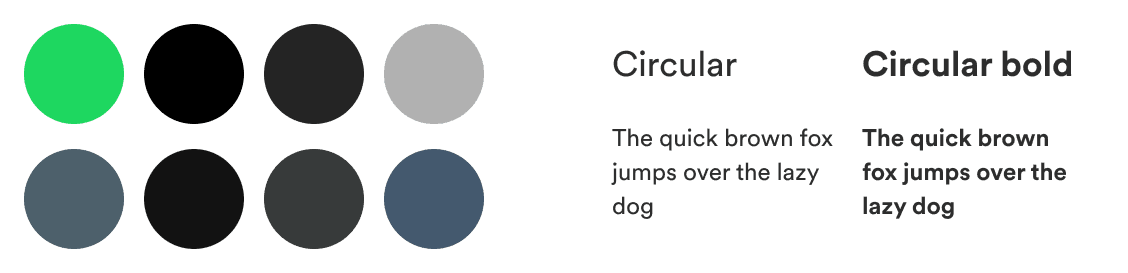
I then started exploring the filtered playlist design, discrepancies between a full screen and swipe up menu, and buttons and icon alterations. I also emphasized the differences that would exist between the free and premium versions of this feature.

Prototype
Filters
New Playlist
Takeaways
Explore more
Instead of taking one solution and just running with it, taking a little more time to ideate and research gave me the opportunity to come up with a better solution. Your first idea is rarely your best!
Use the product
In all honesty, I only started using Spotify a bit after starting this project and it truly made a huge difference in my approach and understanding of how to take on the project
Mean business
Maybe the most important lesson from this project was to understand the business. To me, the main purpose of this feature is to enhance the listener's experience but at the same time the business cannot be overlooked.


